
What are the DNS Settings for Moxi Websites – CB Realty Colorado
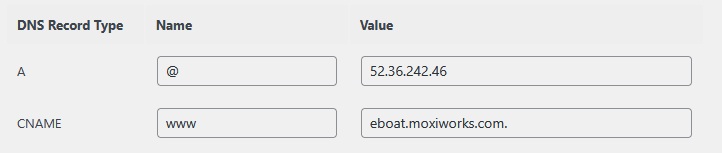
1. Navigate to the Settings option and select Personal Domain from the menu.
2. Next, enter the testing domain (e.g., Moxi.testingdomaincnames789.com) and click Continue. This will display the agent’s DNS records.
3. Lastly, when you check the DNS records, always remember to remove the testing domain from their website.